
Order Flow Imbalance

Maximize your profit by copy Our Trade

1. What is Order Flow?

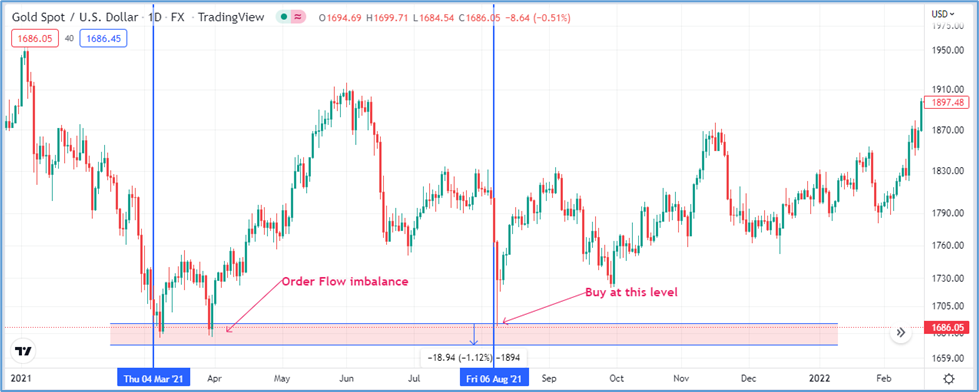
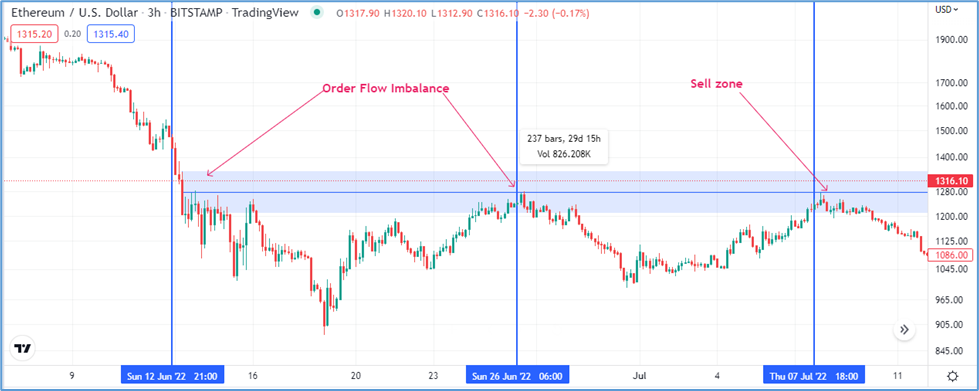
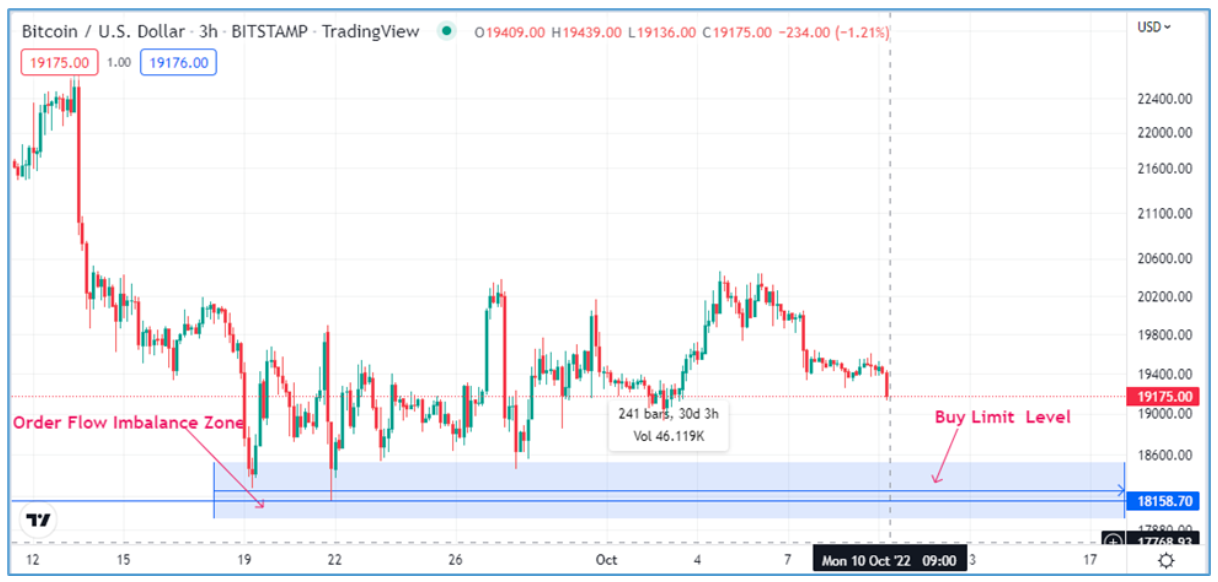
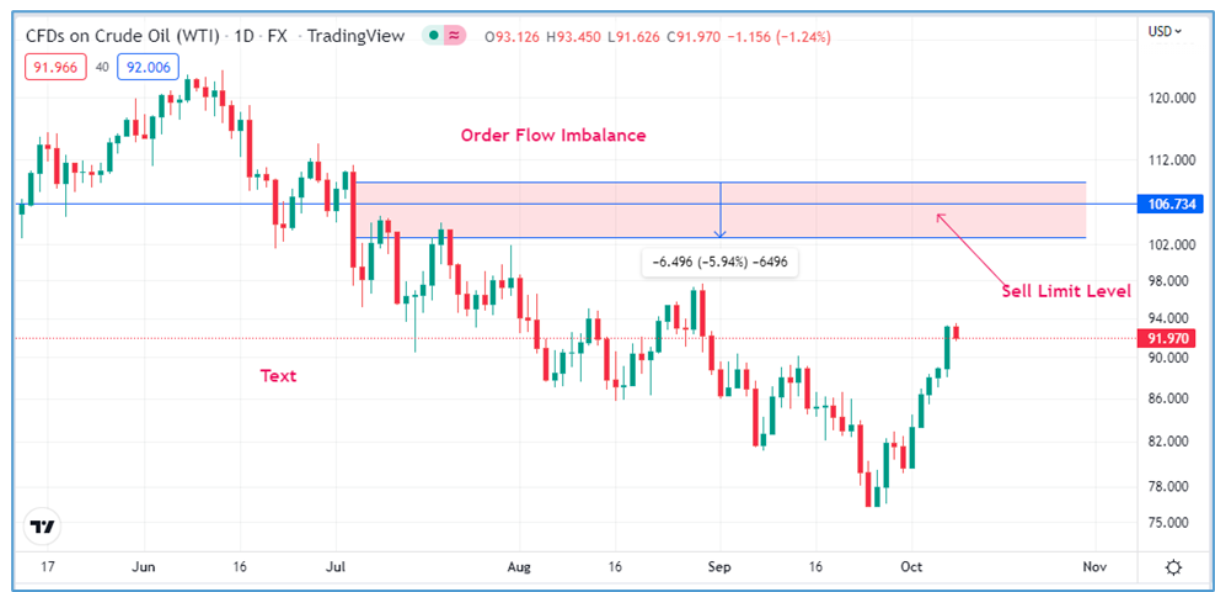
Order Flow shows where buy and sell interest accumulates at specific price levels. An order block (or order flow imbalance) is an area where large numbers of buy or sell orders clustered previously — these often act as strong support or resistance.

2. Why order flow matters

  • It reveals where other traders (or institutions) placed orders before.

  • Order blocks often cause price to reverse or accelerate when price returns to them.

  • Trading with order flow gives an edge: you trade where liquidity and opposite orders are likely to appear.

Trade Now

3. How order blocks form 

  1. Price moves strongly in one direction (large bullish or bearish candle(s)).

  2. That move leaves behind an area where one side (buyers or sellers) was overwhelmed. Traders who lost that battle will often place orders there later.

  3. When price returns to that area, those resting orders and the new counter-orders create notable reactions (bounce, rejection, or continuation).

4. How to spot an order block on your chart — step by step

  1. Switch to a clean chart: remove noisy indicators; use price candles only.

  2. Find strong directional moves: look for large candles or a series of candles moving in the same direction.

  3. Mark the last swing before the big move: the candle(s) that began the strong move form the order block zone (often the high/low of that candle range).

  4. Draw a rectangle (zone) around the wick extremes of that candle(s) — this is your order block zone.

  5. Confirm with price reaction: if price returns to that zone and shows rejection (pin bar, engulfing, or a cluster of small candles), the zone held as an order block.

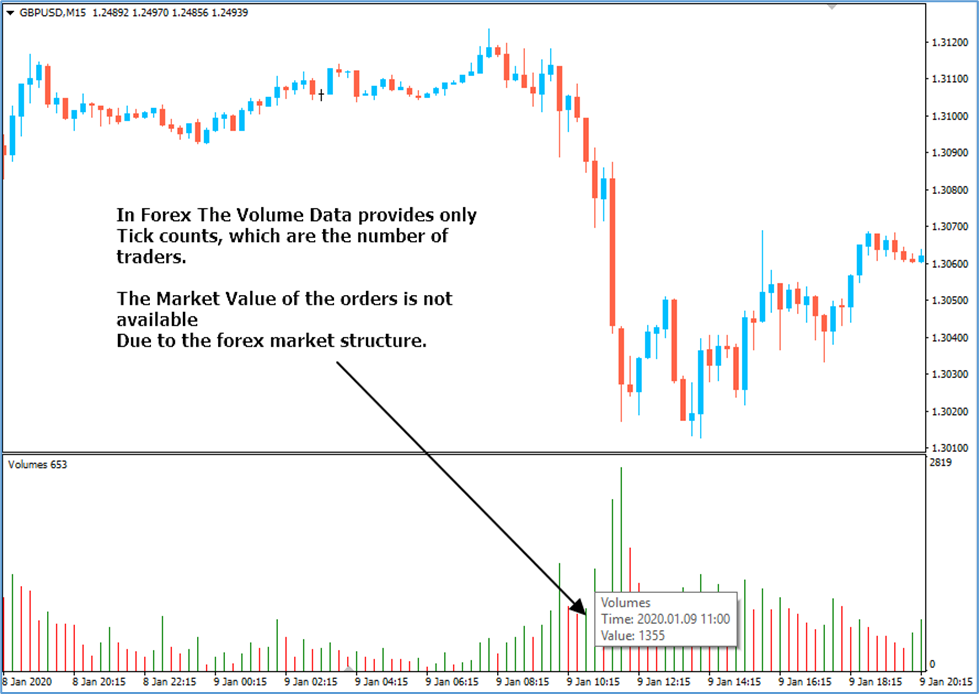
  6. Optional confirmation: look for increased volume/tick activity at that zone (if your platform has reliable data) or observe multiple bounces/retests in the past.

5. Trade setup rules (simple and conservative)

Follow these rules to place trades using order blocks.

A. For a BUY using a bullish order block (demand)

  1. Identify a bullish order block — zone created before a large upward move.

  2. Wait for price to return to the zone and show signs of buying (rejection candle, double bottom, bullish engulfing).

  3. Enter with a buy limit inside the zone (or on a small pullback/retest).

  4. Place stop loss a few pips below the zone low (give it breathing room — account for spread and volatility).Buy setup

  5. Set a take-profit at the next logical resistance, previous swing high, or use a risk:reward ratio (e.g., 1:2 or 1:3).

  6. Manage the trade: move stop to breakeven when price reaches 50% of your target; scale out partial position if you prefer.

B. For a SELL using a bearish order block (supply)

  1. Identify a bearish order block — zone created before a large downward move.

  2. Wait for price to return and show rejection (pin bar, bearish engulfing, failed breakout).Sell Setup

  3. Enter with a sell limit inside the zone.

  4. Place stop loss a few pips above the zone high.

  5. Set take-profit at the next support or use a fixed R:R.

  6. Manage the trade similarly (move stop to breakeven, partial profit-taking).

Trade Now  

6. Extra confirmation tools (optional)

  • Volume / tick data: helps confirm if real order activity matched the block (more reliable in centralized markets).

  • Price action signals: pin bars, engulfing candles, inside bars at the zone.

  • Market structure: confirm the overall trend — trading with the higher-timeframe trend increases probability.

7. Timeframes & multi-timeframe approach

  • Use a higher timeframe (H4 / Daily) to identify major order blocks and a lower timeframe (H1 / M15) to time entries.

  • Larger timeframe blocks are stronger; they attract more liquidity and give safer entries.

8. Risk management & position sizing

  • Never risk more than a small percent of your account on a single trade (commonly 0.5%–2%).

  • Calculate position size using distance between entry and stop loss.

  • Account for spread/slippage: widen stop or avoid entering during low-liquidity hours.

9. Common mistakes to avoid

  • Drawing overly wide or vague zones — be precise.

  • Ignoring the overall market trend — counter-trend trades need extra caution.

  • Placing stops too tight (get stopped out) or too far (risk too much).

  • Overrelying on one confirmation tool; combine price action, structure, and volume when possible.

10. Example trade templates 

Buy template

  • Setup: Price returns to bullish order block on H4

  • Entry: Buy limit inside block on H1 rejection candle

  • Stop: 10 pips below block

  • Target: 1:2 R:R or next swing highBuy Limit

Sell template

  • Setup: Price retraces to bearish order block on Daily

  • Entry: Sell limit after bearish engulfing on H1

  • Stop: 15 pips above block

  • Target: Previous demand area or fixed R:RSell Limit

11. How to test & practice

  1. Backtest: mark order blocks on historical charts and record what happens when price returns.

  2. Demo trade: apply the rules on a demo account until you have consistent results.

  3. Journal: keep a trade log — entry, stop, result, reason for the trade, and lessons learned.

Quick FAQ for beginners

  • Q: Are order blocks a guaranteed edge? A: No. They increase probability but are not 100% certain. Use stops and risk management.

  • Q: Do order blocks work in Forex? A: Yes — they work via price action and tick data. Volume in forex is broker-specific, so rely primarily on price reactions and multiple confirmations.

  • Q: How many pips for stop? A: It depends on volatility and timeframe. Base it on the zone size and average ATR.

Recent Posts

Leave a Reply

Your email address will not be published. Required fields are marked *